
Why closing the app never costs you an edit
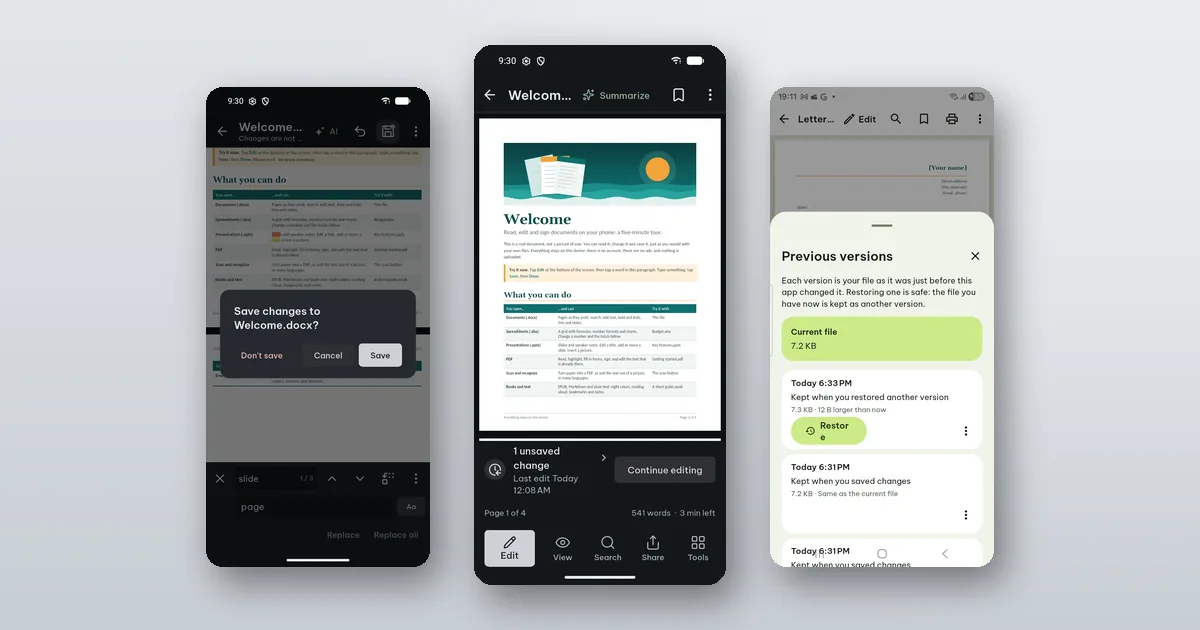
On a computer, a program closes when you close it. On a phone, it closes when the phone decides. A call comes in, you switch to a chat to copy an address, the battery runs out, and the app you were typing in is gone when you come back. We build Poleta on the assumption that this will happen in the middle of your edit, because sooner or later it does.
So the rule we work to is simple: no way of leaving the editor throws your changes away without you saying so. Here is how that plays out.
When you leave on purpose
Back, the back gesture, Done and closing the editor all lead to the same question when there are changes not yet saved. It names the file, for example Save changes to Letter.docx?, and has three answers:
- Save writes the changes into the file and leaves;
- Cancel stays and keeps editing;
- Don't save, in red, leaves and throws the changes away.
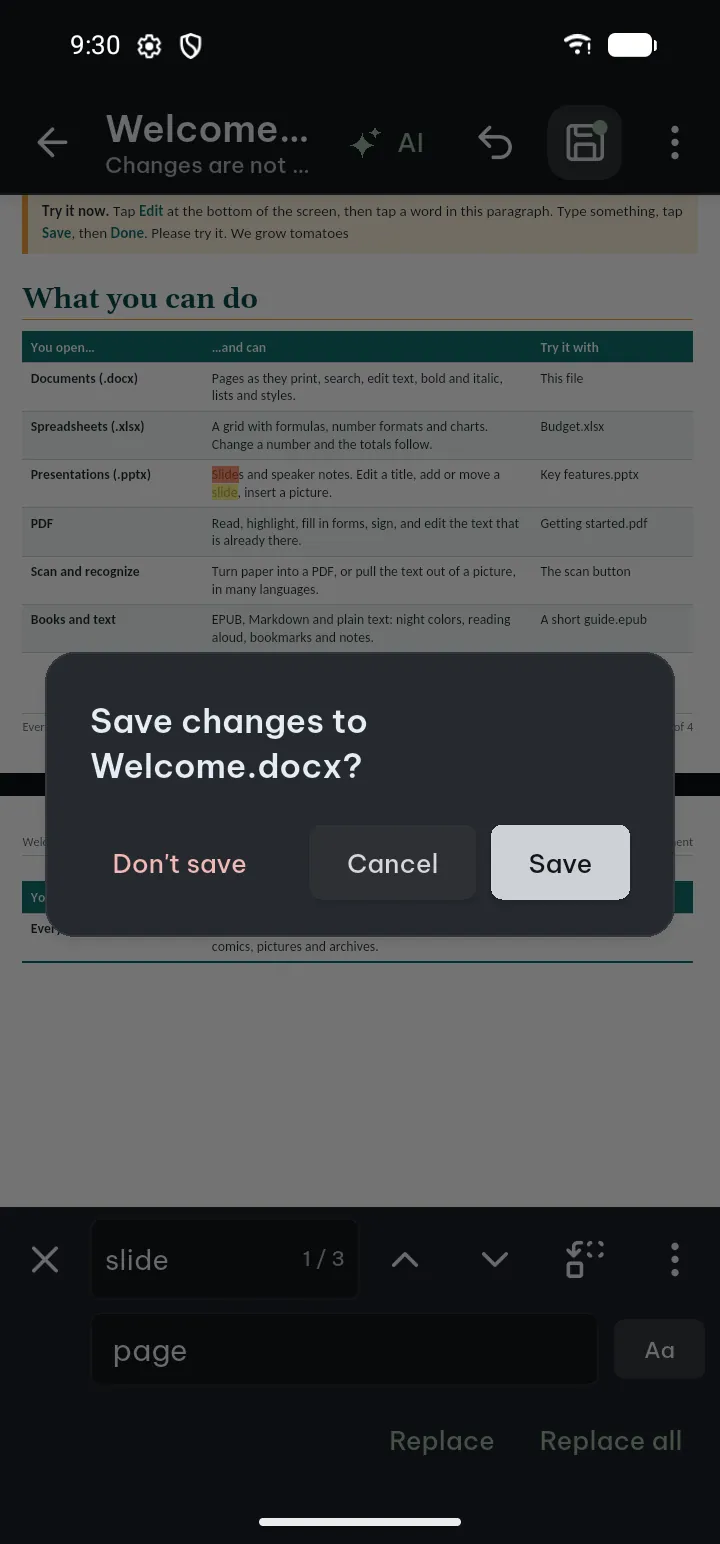
The text documents, spreadsheet, slides, text and PDF text editors all ask it the same way. Learn it once and you know it everywhere, which matters for a question you answer with your thumb while your mind is still on the text.
The PDF reader also says how many changes are not in the PDF yet. And highlights are never lost this way: after Don't save they stay in Poleta, just not in the PDF.
When the phone closes it for you
If Poleta was ended from outside while you edited (the phone closed it, the battery ran out, the app crashed), the changes you had not saved are kept in the app.
Open the same file again and a line in the bottom bar says how many unsaved changes there are and when you last edited them. Tap Continue editing to go on where you were, then save.
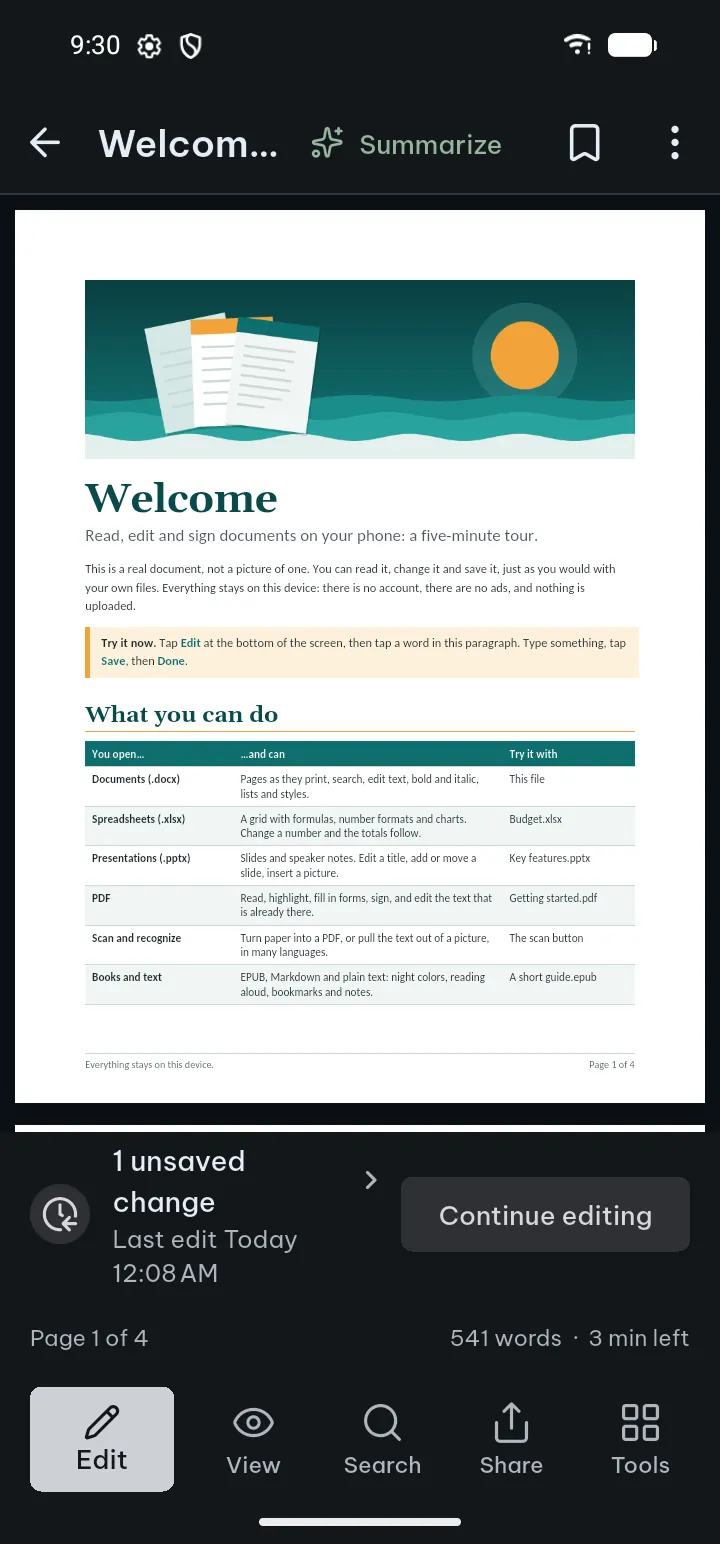
Tap the words of that line instead and Unsaved changes opens. It says that the app closed before these were saved and that they are not in the file yet, and lists the kinds of changes, such as Edited text, Changed formatting, Added or copied slides, or Edited cells with the cells named. If you do not want them, Discard throws them away, and Undo on the message Unsaved changes discarded brings them back.
Why the kept changes stay out of the file
It would be simpler to write the kept changes into the file straight away. Poleta does not, because you did not ask for that. The file on your phone is the one you last saved, and it stays that way until you save again.
That has one consequence you will meet. If you share, print, save as PDF, save a copy or compare while kept changes are waiting, Poleta asks first: Continue editing, or Use the saved file to go on with the file as it is saved. The kept changes stay kept either way. One more question is a small price for never sending someone a version you had not finished.
When you save and wish you had not
Saving can be the mistake too. Each save keeps the file as it was just before, in Previous versions (free). From there you can Restore it or Save as a copy, and restoring keeps the current file as another version, so that is undoable too. There is a post on how versions work.
When another app got there first
Files on a phone can be changed by more than one app. If the file was changed by another app while it was open in Poleta, Poleta asks before it writes. It can keep your edits inside the app and leave the original file as it is, so neither version is overwritten without you choosing.
What it does not cover
All of this lives on your phone. If you uninstall Poleta or lose the phone, the kept changes and previous versions go with it. The files you saved are yours wherever they are, and a backup of your library is a separate step, described in Back up your library before you change phones.