
Find any document by what you remember about it
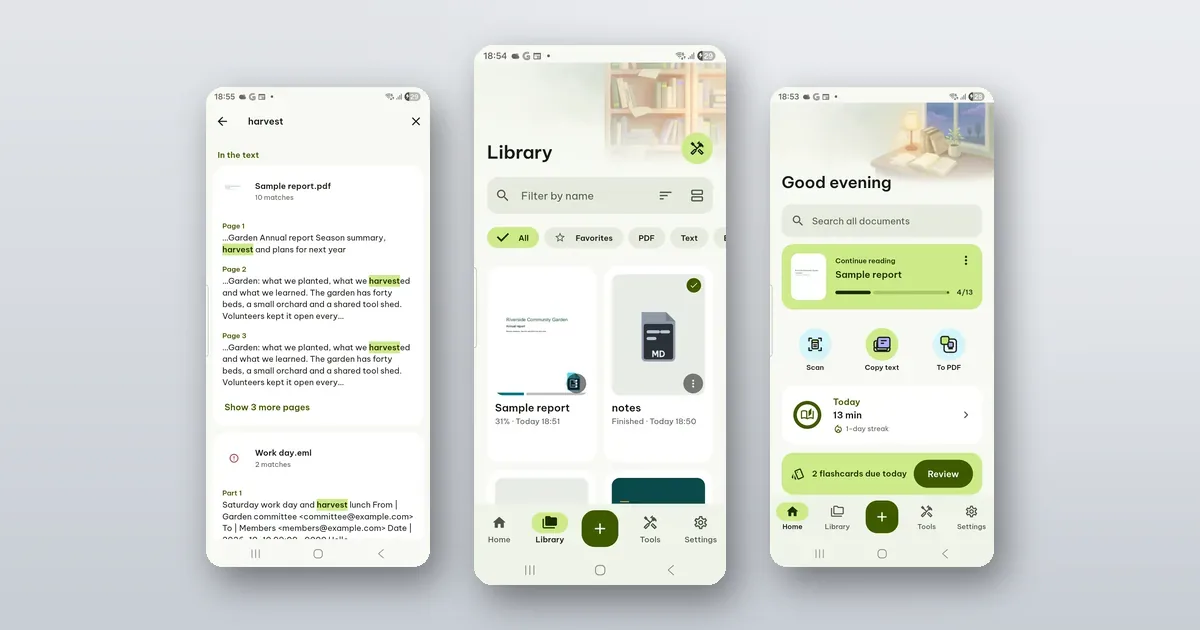
On Home, tap Search all documents and type a word you remember from inside the file. Poleta looks through the text of every document in your library and opens the one you tap at the page where the word is. It is free and works offline.
You rarely remember a file's name. You remember a word in it, roughly what kind of file it was, or that you starred it last month. Poleta has a way in for each.
You remember a word in it
Use Search all documents on Home. In the Library you can also type in the box and tap Search "…" inside documents.
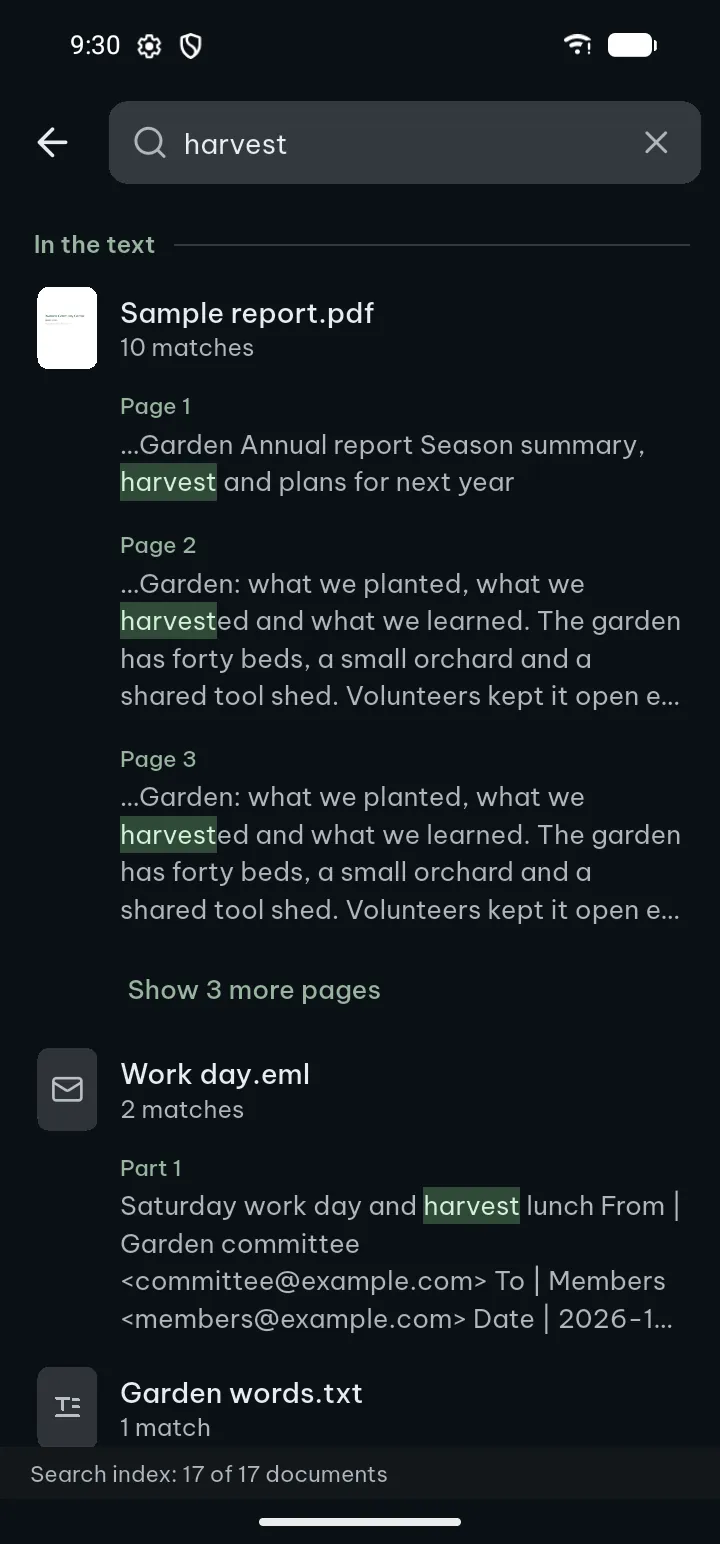
Results come in two groups: Document names and In the text. Under each document you see how many matches it has and the lines around them, by page. Show 3 more pages (or however many there are) opens the rest. Tap a line to jump there.
The search reads PDFs, text documents, spreadsheets, slides, books, e-mail files and the rest of the library. A few details:
- The first search builds an index on your phone, so it takes a moment once. After that it is quick.
- A scanned PDF is only pictures until its text is recognized. Once it is (with Recognize text, or automatically if Recognize text in scanned documents automatically is on in Settings), its words are found too.
- For languages with accents, Settings › Open & edit documents › Ignore accents when searching finds "resume" in "résumé".
- A document too large for the phone's memory is left out of the index, and the search tells you how many were.
If results ever look out of date, Search index › Rebuild on the same Settings page starts over.
You remember what kind of file it was
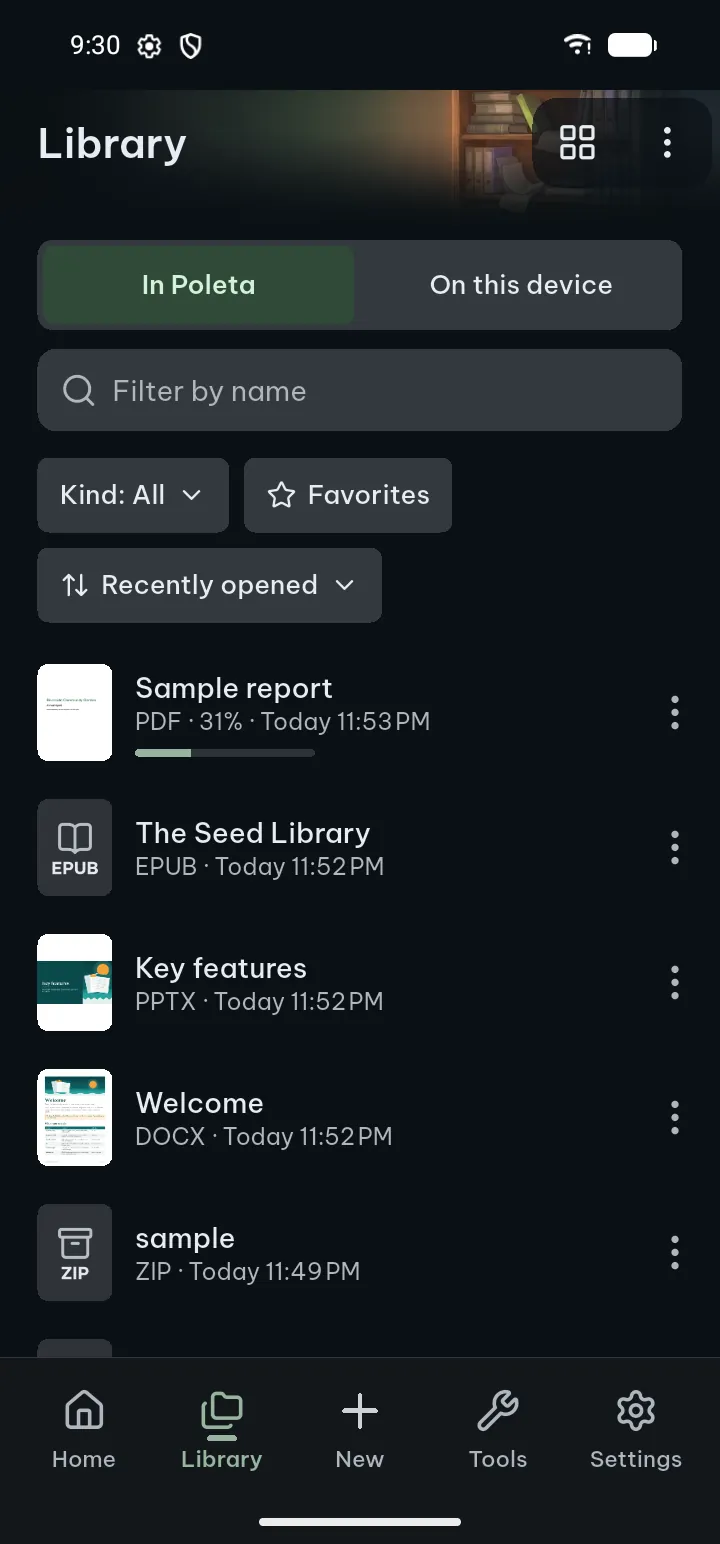
Open the Library. The chips across the top filter it: All, Favorites, PDF, Text, Books, Documents, Slides, Spreadsheets and Images. Typing in Filter by name narrows the list to names that match, and Sort orders it by Recently opened, Name A–Z or Size.
Sorting by size is a quick way to find the 200 MB scan that is filling your phone.
You know you will need it again
Star it now. Tap the document's ⋯ and Add to favorites, or in the Library press and hold several documents and star them all at once. Favorites then have their own chip in the Library and their own row on Home under Recent.
It is on the phone, but not in Poleta
A file that came by chat or sits in Download is not in your library until you open it. Library › On this device (Android 11 and later) lists the documents, pictures and other files on the phone that Poleta can open. Search by file name, tap a type chip, or sort Newest first or By folder.
The first time, it explains that it needs access to your files and opens the settings page where you allow it. You can say Not now; everything else works without that access. Poleta asks for it only there, or when a search finds nothing in your library, never at start. It reads a file only when you open it, and uploads nothing.
You want a word inside the open document
That is Find in the bottom bar of an open document. In a PDF the search bar opens above the keyboard; Previous result and Next result move through the hits, and ⋯ › All results lists them.
The guide covers all of this under Search inside documents and On this device.